
There is a common misconception in the Apple ecosystem that if you want to get serious about your health, the first thing you need to do is buy an Apple Watch. You see friends comparing their "Activity Rings," glancing at their wrists during workouts, and talking about heart rate zones. It’s easy to feel like you are missing out on the party if your wrist is bare.
But here is the secret that Apple doesn’t always shout from the rooftops: Your iPhone is already a world-class fitness tracker.
Long before the Apple Watch existed, the iPhone was helping people train for marathons, lose weight, and track their daily movement. Tucked away inside that device in your pocket are sophisticated motion sensors, a gyroscope, an accelerometer, and a highly accurate GPS chip. With the recent updates to iOS, Apple has bridged the gap even further, allowing non-Watch users to close their rings and track their fitness journey with surprising precision. Let’s dive into how you can turn your iPhone into the ultimate pocket personal trainer.
1. Unlocking the "Move" Ring Without a Watch
For years, the famous three-ring system (Move, Exercise, and Stand) was exclusive to Apple Watch owners. However, starting with iOS 16, Apple liberated the "Move" ring for everyone. This was a massive shift for iPhone-only users. Now, the Fitness app isn't just a blank screen; it is a fully functional activity dashboard.
The iPhone uses its onboard sensors to track your steps, the distance you travel, and third-party workout data to estimate your active calories burned. While it cannot measure your heart rate to determine intensity, it is incredibly good at measuring kinetic movement.
Pro Tip: To get started, simply open the pre-installed Fitness app on your iPhone. If you deleted it previously, you can download it again for free from the App Store. Once opened, it will ask for your height, weight, and gender to accurately calculate your calorie burn.
Here is how to ensure your iPhone is tracking you correctly:
- Go to Settings on your iPhone.
- Scroll down and tap Privacy & Security.
- Tap Motion & Fitness.
- Ensure that Fitness Tracking is toggled ON.
- Check that the Health app and Fitness app both have permission to access this data.
Once this is set, your phone becomes a pedometer on steroids. It doesn't just count steps; it calculates the energy you expend taking them.
2. Leveraging Third-Party Apps for GPS Workouts
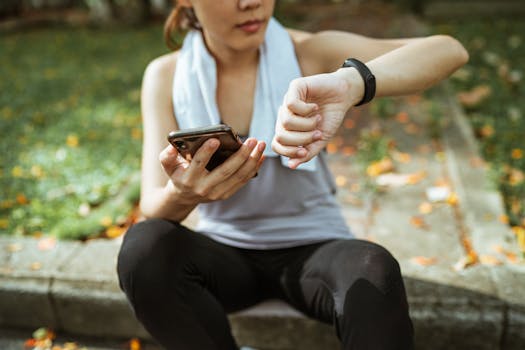
While the native Fitness app is great for daily activity tracking, the iPhone truly shines when you pair it with specialized third-party applications. Since your iPhone has a dedicated GPS chip, it can track outdoor runs, bike rides, and hikes just as accurately as a watch—sometimes even better, thanks to the larger antenna.
If you are looking to get into running or cycling, you don't need a wrist-based computer. You just need an app that talks to Apple Health. When you finish a workout in these apps, they write the data to your Health app, which then fills up your Move ring.
Here are a few categories of apps that transform your phone:
- For Runners: Apps like Nike Run Club or MapMyRun offer guided audio runs. This is actually a benefit of using the phone; the audio coaching is often more robust on the phone app than the watch version.
- For Cyclists: Strava is the gold standard. You can mount your phone to your handlebars (more on that later) and have a full dashboard showing speed, distance, and elevation.
- For Home Workouts: Apps like Nike Training Club or the Peloton app (digital tier) don't require a watch. They use the video on your phone screen to guide you, and they estimate calorie burn based on the workout type and duration.
Important Note: Always ensure you authorize "Write" permissions for these apps inside Apple Health. When you first install a fitness app, it will ask to access your Health Data. Say "Yes" or "Turn All On" to ensure your hard work counts toward your daily goals.
3. Tracking Steps and Walking Steadiness
Walking is perhaps the most underrated exercise, and your iPhone is the perfect tool for it. You likely have your phone with you when you commute, walk the dog, or grocery shop. The iPhone aggregates all these "micro-movements" into your total daily activity.
However, the iPhone offers a health metric that even some dedicated fitness trackers miss: Walking Steadiness. Using the motion sensors in your pocket, your iPhone analyzes your gait, step length, and asymmetry (if you are limping or favoring one side). It can actually predict your risk of falling over the next 12 months.
To view this data:
- Open the Health app.
- Tap the Browse tab.
- Select Mobility.
- Look for Walking Steadiness and Walking Asymmetry.
This transforms your phone from a simple step counter into a medical-grade device that helps you understand your biomechanics. If you see your steadiness declining, it might be a cue to incorporate more core strength or balance exercises into your routine.
4. Managing Sleep and Mindfulness Manually
Fitness isn't just about how much you move; it's about how you recover. The Apple Watch is famous for sleep tracking, but you can track your sleep effectively with just your iPhone using the "Wind Down" and "Sleep Schedule" features.
By setting a sleep schedule in the Health app, your iPhone tracks your "Time in Bed" based on when you put your phone down at night and when you pick it up in the morning. While it won't give you a breakdown of REM vs. Deep Sleep without a wearable, it helps you build the habit of consistency, which is arguably more important than the granular data.
Furthermore, you can use the iPhone for Mindfulness minutes. This is a metric often ignored, but vital for mental health:
- Use the Health app to log "Mindful Minutes."
- Apps like Calm, Headspace, or even the native Apple Journal app can contribute to this.
- Spending 10 minutes doing breathwork with your phone on your desk counts toward your overall health trends just as much as a run does.
5. The Practical Guide: Carrying Your "Tracker"
The biggest logistical hurdle to "No Watch" tracking is simply where to put the phone. If the phone sits on your desk while you walk around the office, you aren't getting credit for those steps. If you hold it in your hand while running, you risk dropping it (and creating muscle imbalances in your shoulders).
To make the iPhone a viable fitness tracker, you need the right accessories to make it wearable. Here are the best ways to carry your device:
- The Running Belt: Far superior to the armband. A running belt (like a FlipBelt) sits on your hips. It keeps the phone secure against your body's center of gravity, which helps the pedometer sensors work more accurately than if they were swinging wildly on your arm.
- Leggings/Shorts with Compression Pockets: Modern activewear often comes with a tight pocket on the thigh. This is an excellent spot for the iPhone as the thigh movement correlates perfectly with step counting.
- The Bike Mount: If you cycle, get a Quad Lock or similar mount. Having the phone visible turns it into a bike computer, allowing you to safely see your GPS maps and speed without fumbling in a pocket.
Battery Tip: GPS tracking drains battery life faster than normal use. If you are planning a long hike or a marathon run using just your phone, consider bringing a small portable power bank, or ensure you start with 100% battery. Turning off Wi-Fi and Bluetooth during the run can also help conserve power.
At the end of the day, fitness is about commitment, not hardware. Your iPhone is a powerful computer capable of managing your health history, mapping your runs, and motivating you to move. So, before you drop several hundred dollars on a watch, try maximizing the potential of the device already in your hand. You might find it’s the only partner you need.